For clinics today, having a strong online presence is more than just a marketing strategy—it’s a patient convenience and trust-builder. Google Business Profile (formerly Google My Business) is one of the most powerful free tools clinics can use to appear in local search results, attract new patients, and provide accurate information about services. But many healthcare providers miss critical steps during setup, which can limit visibility and patient engagement.
In this article, we’ll walk you through the essential Google Business Profile setup checklist for clinics—so you can make sure your practice stands out in search results, builds credibility, and drives more appointments.
Why Clinics Need a Google Business Profile
Patients rely on Google to find clinics near them, read reviews, and check office hours or contact information. A fully optimized Google Business Profile helps you:
- Appear in local search results and Google Maps
- Showcase your services, hours, and specialties
- Collect and manage patient reviews
- Provide an easy way for patients to book appointments
Without a complete and accurate profile, your clinic risks losing visibility and credibility—even if your website is optimized for search.
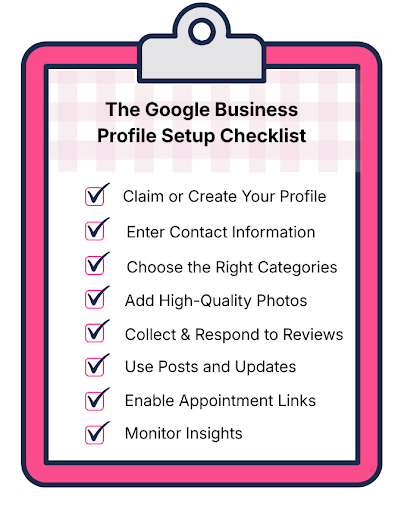
The Google Business Profile Setup Checklist
1. Claim or Create Your Profile
First things first: check if your clinic already has a profile. Search your clinic name on Google—if a profile exists, claim it. If not, create a new one at Google Business Profile.
Tip: Use your official clinic name exactly as it appears on signage, website, and other listings. Consistency boosts local SEO.
2. Enter Accurate Contact Information
Make sure your profile includes:
- Clinic name
- Street address (avoid using P.O. Boxes)
- Phone number with local area code
- Website URL
- Hours of operation (including lunch breaks or holidays)
Accurate details help Google display your clinic for relevant searches and make it easy for patients to reach you.
3. Choose the Right Categories
Select primary and secondary categories that accurately reflect your clinic’s services. For example:
- Primary: Medical Clinic
- Secondary: Family Medicine, Pediatric Clinic, Aesthetic Medicine (if applicable)
Proper categories help Google match your profile to patient searches.
4. Add High-Quality Photos
Profiles with photos get 42% more requests for directions and 35% more clicks to websites. Include:
- Exterior and interior photos of the clinic
- Staff team photos
- Procedure or treatment room photos
- Logo and signage
Regularly update photos to keep your profile fresh and welcoming.
5. Collect and Respond to Reviews
Patient reviews influence search rankings and build trust. Encourage satisfied patients to leave honest reviews.
- Respond promptly to reviews, both positive and negative
- Use professional, empathetic language
- Address complaints with actionable solutions
Review management shows patients you value feedback and improves your clinic’s online reputation.
6. Use Posts and Updates
Google Business Profile allows you to share posts, events, or updates directly on your listing. Clinics can use posts to:
- Highlight new services or treatments
- Promote health tips or seasonal care reminders
- Announce events, specials, or holiday hours
Active posting signals engagement and helps your profile stand out in search results.
7. Enable Appointment Links
Many clinics now allow patients to book appointments directly through Google. Link your scheduling system so patients can book in one click—reducing friction and driving more bookings.
8. Monitor Insights
Google provides analytics showing how patients find your profile, which photos perform best, and how many actions were taken. Use these insights to:
- Optimize your profile content
- Adjust categories or services
- Improve engagement and conversion rates
Regular monitoring ensures your Google Business Profile works as a growth tool, not just a static listing.
Bonus Tip: Keep Information Consistent Across Listings
Consistency across all online directories—Yelp, Healthgrades, Zocdoc, and your own website—reinforces trust and local SEO. Mismatched addresses, phone numbers, or names can hurt rankings and confuse patients.
Your Clinic, Found and Trusted Online
A fully optimized Google Business Profile can transform how patients discover and engage with your clinic. By following this checklist, you ensure accurate information, a strong online reputation, and more appointments booked effortlessly. Platforms like OptiMantra make it even easier by integrating appointment scheduling and patient management, so your online presence directly supports practice growth.
Ready to streamline your operations and elevate your digital presence? Book a demo or start your free trial with OptiMantra today!
Legal Disclaimer: This article is for informational purposes only and does not constitute legal, compliance, or marketing advice. Clinics should consult with appropriate legal or regulatory professionals to ensure their Google Business Profile and digital strategies comply with all applicable laws and healthcare guidelines.